Expanding Your Existing Home WiFi Network
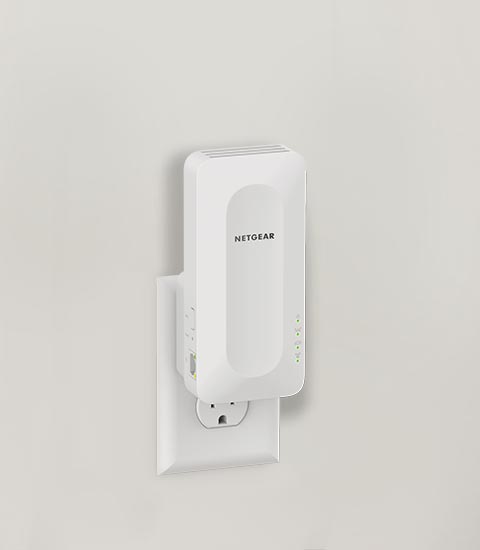
NETGEAR WiFi range extenders are designed to enhance your home WiFi network’s coverage by connecting to your existing network router or gateway. They can be good in a pinch if you have spotty WiFi in some areas of your home. Go here – if you need help setting up a whole Mesh WiFi System instead. Below is a simplified guide to setting it up your WiFi range extender:
Range Extender Setup with WPS
Wi-Fi Protected Setup (WPS) is one of the easiest ways to setup your Range Extender.
WiFi Protected Setup (WPS) lets you set up your NETGEAR WiFi range extender with the push of a button. Not all routers support WPS. If your router does not have a WPS button, you must set up your extender with a different method.
To setup a Range Extender with WPS, plug in our your extender near your Router and set it to “Extender” mode. Once powered on with a Green or Blue light click the WPS button on your extender. Next – click the WPS button on your Router. Once they connect together you can move your Extender further away from the Router to extend your WiFi.
Full detailed instructions on Extender WPS setup read our Range Extender Knowledge Base article.
WiFi Extender Setup Steps with MyWiFiExt.net (Older method)
 Note: This method is for older WiFi Extenders and other methods are usually more convenient and better supported.
- Power Up: Plug in your NETGEAR extender. The Power LED should light up. If it doesn’t, press the Power or On/Off button.
- Connect: Use your computer or mobile device to connect to the extender’s WiFi network, named NETGEAR_EXT by default. The network may be open or use ‘password’ as the default password.
- Setup Page: Launch a web browser and enter mywifiext.net or 192.168.1.250. This will take you to the New Extender Setup page. This is similar to how the Router Login system works.
- Admin Credentials: Click on NEW EXTENDER SETUP. Choose and set your extender’s admin credentials, which are different from your WiFi network password.
- Network Selection: The extender will search for local WiFi networks. Select your network’s 2.4GHz and 5GHz bands.
- Network Extension: Enter your existing network’s password. You can choose to keep the default SSIDs or customize them for your extender.
- Finalize Setup: Follow the prompts to complete the setup. The extender will apply your settings, which might take a few minutes.
- Connect Devices: Connect your devices to the extender’s new network using the WiFi settings.
- Confirmation: Return to your browser and confirm the setup to start using your extended network.
Range Extender Setup - Nighthawk App Method
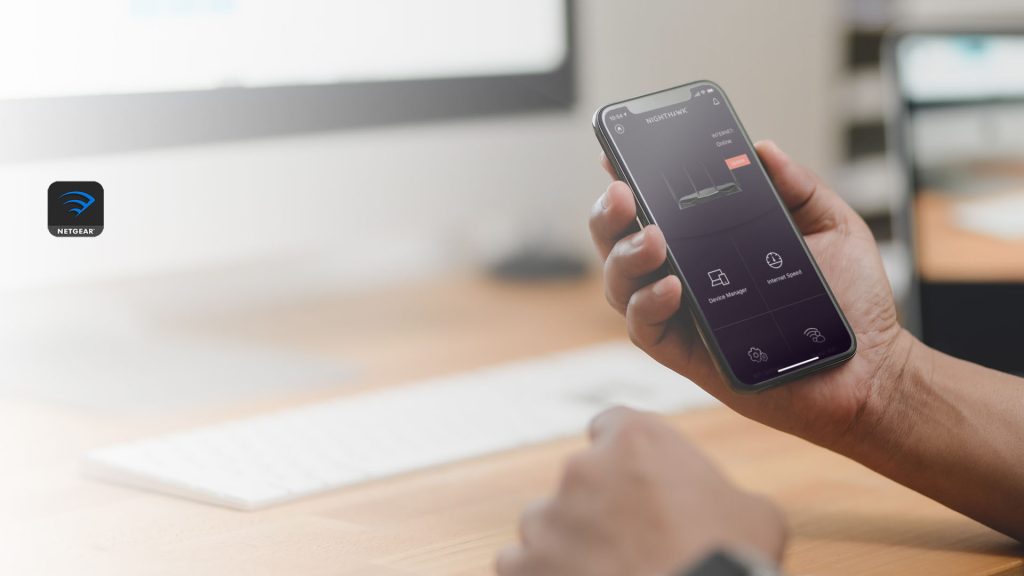 For the latest NETGEAR Extenders it’s suggested to use the Nighthawk App for setup. Once you’ve downloaded the Nighthawk App follow the on-screen instructions to “Set Up a New Nighthawk System” and then choose “Range Extender”.
For full detailed instructions on Extender Nighthawk App setup read our Range Extender Knowledge Base article.
Can You Setup a WiFi Range Extender with a Mesh WiFi System?
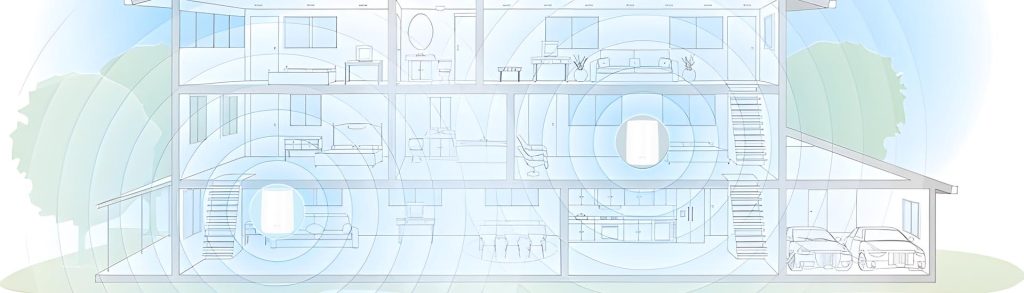
Yes, a WiFi range Extender can be used with a Mesh WiFi system such as Orbi. They can work in a pinch, especially for low-bandwidth stationary IOT devices such as a WiFi Garage Door opener. However, the best option to extend an Orbi WiFi system is to add an additional Orbi Satellites matched to your existing Orbi System to allow for seamless roaming and full whole home WiFi performance for all your connected devices.
Considering Mesh WiFi as an Alternative to an Extender?
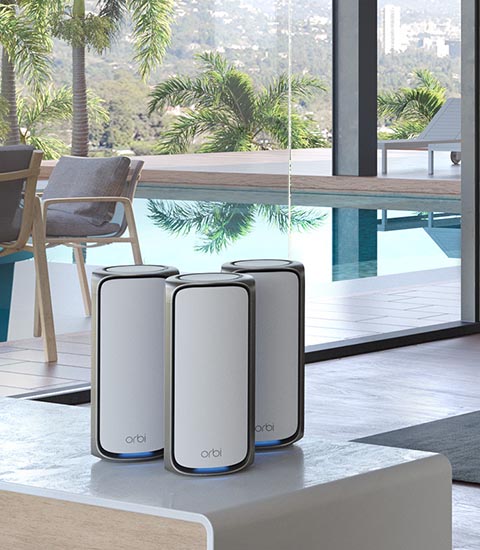 Is your WiFi range extender not meeting your needs? WiFi range extender is a decent solution for extending your WiFi network but it’s not always the most reliable in all situations. Learn more about Mesh vs WiFi Extenders. In cases where an extender does not supply the performance or features for all your WiFi needs, consider upgrading to a powerful Mesh WiFi system such as Orbi. Mesh WiFi offers several advantages:
- Seamless Coverage: Unlike extenders, Mesh WiFi provides uniform coverage without the need for separate network names (SSIDs).
- Easy Management: Manage your entire network through a single interface, making it easier to control and monitor.
- Better Performance: With dedicated WiFi radios – Mesh systems provide better speed and WiFi stability, especially in larger homes or spaces with many devices.
- Upgradable Coverage: Orbi Mesh WiFi systems can be upgraded with additional WiFi Satellites to extend full speed WiFi to any corner of your home.
In summary, while a NETGEAR WiFi range extender is an excellent choice for extending your WiFi coverage, especially if you are trying to extend the range of your existing router, a Mesh WiFi system might be a better fit for more demanding or larger homes and offices. Consider your specific needs to choose the best solution for your home network.
FAQs
How do I set up a NETGEAR WiFi range extender?
Plug the extender in near your router, then use WPS (push-button pairing) if your router supports it, or connect to the extender’s setup network and visit mywifiext.net in a browser to complete guided setup. After pairing, move the extender closer to the area with weak WiFi coverage.
How do I set up my extender with WPS?
Plug the extender in near the router, press the WPS button on the extender, then press the WPS button on your router within two minutes. Once the lights turn solid green or blue, the extender is connected and you can relocate it to extend coverage into the problem area.
What if my router doesn't have a WPS button?
Use the manual setup method by connecting your device to the extender’s WiFi network (usually named NETGEAR_EXT), then open a browser and go to mywifiext.net or 192.168.1.250 to run the setup wizard. The wizard will scan for your existing network and guide you through connecting the extender.
Why won't mywifiext.net load?
Make sure your device is connected to the extender’s setup network (often NETGEAR_EXT), not your main router network. If mywifiext.net still doesn’t load, try the direct IP address 192.168.1.250 instead, or clear your browser cache and try again.
Where should I place a WiFi extender for the best results?
Place the extender halfway between your router and the area with weak WiFi signal, where it can still receive a strong connection from the router. Start by setting it up close to the router, then move it outward toward the dead zone until you find the best balance of signal strength and coverage reach.
Can you use a WiFi extender with a mesh WiFi system like Orbi?
Yes, a WiFi extender can work with an Orbi mesh system, especially for low-bandwidth stationary devices like WiFi garage door openers. For broader whole-home coverage and seamless roaming, adding a matching Orbi Satellite to your existing system is the better option for maintaining full performance across all connected devices.